Claude Code After One Month: An Honest Daily-Use Review
I ran Claude Code 8+ hours a day for a month and wrote almost zero code by hand. Here's what actually worked, what confused me about token usage, and who I'd recommend it to.
I've been running Claude Code daily for about a month now — not as an experiment, but as my actual development environment. This isn't a "I tried it for a weekend" post. Here's what a month of heavy, real use actually looks like, including the parts that confused me.
My Setup
I'm a developer, and I'd call myself a heavy user: Claude Code is running for at least 8 hours a day on my machine. I'm on the Pro plan, using Sonnet 4.6 instead of Opus — purely a cost decision.
Pro gives you two 5-hour usage windows per day. I was worried this would be limiting for someone running sessions all day, but in practice it's been manageable as long as I'm a little mindful about not burning through everything in the first hour. It holds up.
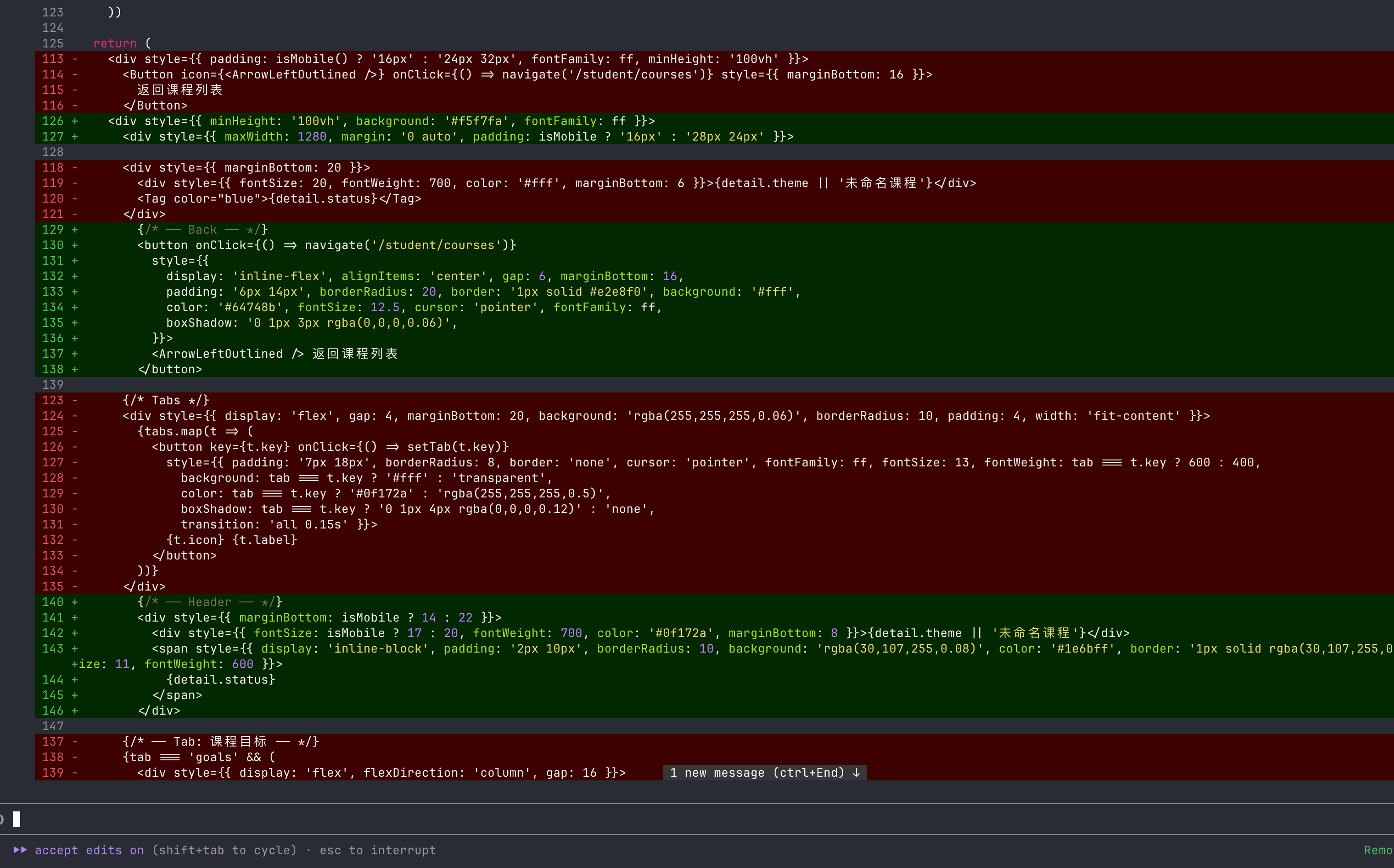
This is what most of my day looks like — a diff like this, accept edits mode on, reviewing the result rather than typing it myself.
What I Actually Built With It
This past month, I used Claude Code almost exclusively for frontend work. Here's what I handed off entirely:
- React project scaffolding from scratch
- Page design, layout, and content for every page
- Complex canvas-based interactions
- Final build and deployment to Vercel
I wrote zero lines of code by hand. Not because I couldn't — because I didn't need to. The styling, layout, and component structure all met my bar without me touching the editor.

This homepage — the layout, the copy, the spacing decisions — all came out of conversation, not code I wrote.
It Changed How I Work
Before this, I read code line by line, even when an AI wrote it. That habit is mostly gone now.
For new projects, I describe what I want, Claude builds it, and I review the result — the page, the behavior — not the implementation.
For existing projects, I ask Claude to lay out a plan first: what it's going to change and why. I confirm the plan, then it executes. No surprises, and I still get a checkpoint before anything happens.
This isn't about being lazy. It's a shift in where my attention goes — from "is this line correct" to "is this the right thing to build."
Zero Learning Curve (If You've Used Similar Tools)
I'd already used Cursor and OpenCode before this, so I wasn't coming in cold. But honestly, Claude Code felt like the simplest of the three. Once I stopped reading every line of generated code and just started describing what I wanted, there was nothing left to adapt to. It's a conversation — type, review, continue.
Why Claude Code Specifically: It's the Model
I've tried other tools, and the reason I stayed with Claude Code comes down to one thing: the underlying model. Claude's reasoning on development tasks — working through UI logic, structuring components, handling edge cases in something as fiddly as canvas interactions — has been noticeably better in my experience than what I got elsewhere.
The CLI is just the interface. The model is what does the actual thinking, and that's what I was really choosing between.
The Frustrating Parts
It hasn't been frictionless. Three things stood out.
The Token Mystery
For the same type of small fix — something that would take a minute by hand — Claude sometimes uses a few hundred tokens, and sometimes several thousand, with no obvious pattern I can see from the outside. I haven't figured out what drives the difference yet, and it's the thing I most want to understand better.
The "npm run dev" Incident
At one point, out of pure laziness, I asked Claude to just run npm run dev for me — about as simple a command as exists. It used 5,000 tokens to do it. I still don't fully understand what happened in that exchange, and it's now on my list to dig into.
Note
If you're also on a metered plan, it's worth paying attention to which "trivial" requests quietly cost more than expected. I plan to write a follow-up once I understand the token-usage pattern better.
The Over-Adjustment Trap
This was the closest I came to a real mess. Claude had built a page I was mostly happy with. I kept asking for small tweaks — and it kept getting less right with each round, not more.
What fixed it wasn't more prompting. I used undo to roll back to the last version I actually liked, and adjusted from there. That worked immediately.
Tip
If three or four small-tweak rounds in a row are making things worse, stop iterating forward. Roll back to the last good state and make your next change from there — don't try to prompt your way out of a hole.
Who Should Use Claude Code
Honestly? Anyone with an idea. You don't need to be a developer in the traditional sense. If you can describe what you want clearly, Claude Code can build toward it. The limiting factor isn't technical skill — it's having something you actually want to make.
FAQ
Is Claude Code worth it if I don't write code myself?
Yes, based on a month of using it almost exclusively this way. The main requirement is being able to describe what you want and review the result — not being able to read the implementation.
Should I use Sonnet 4.6 or Opus for daily Claude Code use?
For daily, all-day use, Sonnet 4.6 on the Pro plan has been "enough" in my experience — the main tradeoff is cost, not capability for typical frontend work. Opus is the option to reach for on harder problems if Sonnet stalls.
Is the Claude Code Pro plan's usage limit a problem for heavy users?
With two 5-hour windows per day, it's been workable for 8+ hours of daily use as long as I pace myself a bit early in each window. It's "enough," not generous.
Bottom Line
One month in, Claude Code is the first tool I reach for. It's not perfect — the token-usage inconsistency is real, and I still don't fully understand it. But for going from an idea to a working, deployed frontend without writing code by hand, nothing else in my toolkit comes close right now.