I Had Claude Code Dockerize a FastAPI + React App — Here Are the Non-Obvious Parts
Dockerfiles, an alembic migration entrypoint, timestamp-only versioning, and a docker-compose that plugs into a shared postgres — how the pieces fit together for a real production deploy.
I needed to move a side project — a FastAPI backend, Vite/React frontend, PostgreSQL database — from local dev onto a production server via Docker. The individual pieces aren't complicated, but how they connect has a few non-obvious decisions. I handed the whole thing to Claude Code and worked through it piece by piece.
Frontend: Multi-Stage Build, Demo Mode Off
The frontend is Vite + React + TypeScript. The Dockerfile is a standard two-stage build: Node 20 compiles the app, nginx serves the static output.
# frontend/Dockerfile
FROM node:20-alpine AS build
WORKDIR /app

COPY package.json package-lock.json ./
RUN npm ci

COPY . .
ENV VITE_DEMO_MODE=false
RUN npm run build

FROM nginx:alpine
COPY --from=build /app/dist /usr/share/nginx/html
COPY nginx.conf /etc/nginx/conf.d/default.conf

EXPOSE 80
The VITE_DEMO_MODE=false line matters: the app ships with a mock adapter that intercepts all API calls and returns canned data, which is how it runs on Vercel without a backend. Setting this at build time bakes the real-API path into the JS bundle. Forget it and the deployed app talks to nobody.
The nginx config handles SPA routing (try_files $uri $uri/ /index.html) and proxies /api/ to the backend container.
Tip
The multi-stage build means node_modules (350 MB+) never touches the final image — only the compiled dist/ gets copied to nginx. Final image size is around 50 MB.
Backend: Migrations Before the Server Starts
The backend is FastAPI with SQLAlchemy + asyncpg, managed by Alembic. The Dockerfile is straightforward, but the entry point isn't.
# backend/Dockerfile
FROM python:3.12-slim
WORKDIR /app

COPY requirements.txt .
RUN pip install --no-cache-dir -r requirements.txt

COPY . .
RUN chmod +x entrypoint.sh

EXPOSE 8000
ENTRYPOINT ["./entrypoint.sh"]
# backend/entrypoint.sh
#!/usr/bin/env bash
set -e

alembic upgrade head
exec python -m uvicorn app.main:app --host 0.0.0.0 --port 8000
Running alembic upgrade head in the entrypoint means every docker compose up automatically applies any pending migrations before the server accepts traffic. No separate migration job, no SSH-in-and-run-manually step. The exec replaces the shell process with uvicorn so signals (SIGTERM from docker stop) reach the server directly.
Warning
If migrations fail — bad SQL, missing column, anything — the container exits immediately and docker compose up shows the error. This is the right behavior: you want a broken migration to surface loudly, not let a half-migrated app start serving requests.
deploy.sh: Timestamp Tags, No latest
Both services get the same deploy script pattern. The frontend version:
# frontend/deploy.sh
#!/usr/bin/env bash
set -euo pipefail

REGISTRY="${REGISTRY:-registry.example.com}"
NAMESPACE="${NAMESPACE:-myorg}"
IMAGE_NAME="${IMAGE_NAME:-myapp-frontend}"
PLATFORM="${PLATFORM:-linux/amd64}"

VERSION="$(date +%Y%m%d-%H%M%S)"
FULL_IMAGE="${REGISTRY}/${NAMESPACE}/${IMAGE_NAME}"

cd "$(dirname "$0")"

echo "==> Building ${FULL_IMAGE}:${VERSION} (platform: ${PLATFORM})"
docker buildx build \
  --platform "${PLATFORM}" \
  -t "${FULL_IMAGE}:${VERSION}" \
  --push \
  .

echo ""
echo "Pushed: ${FULL_IMAGE}:${VERSION}"
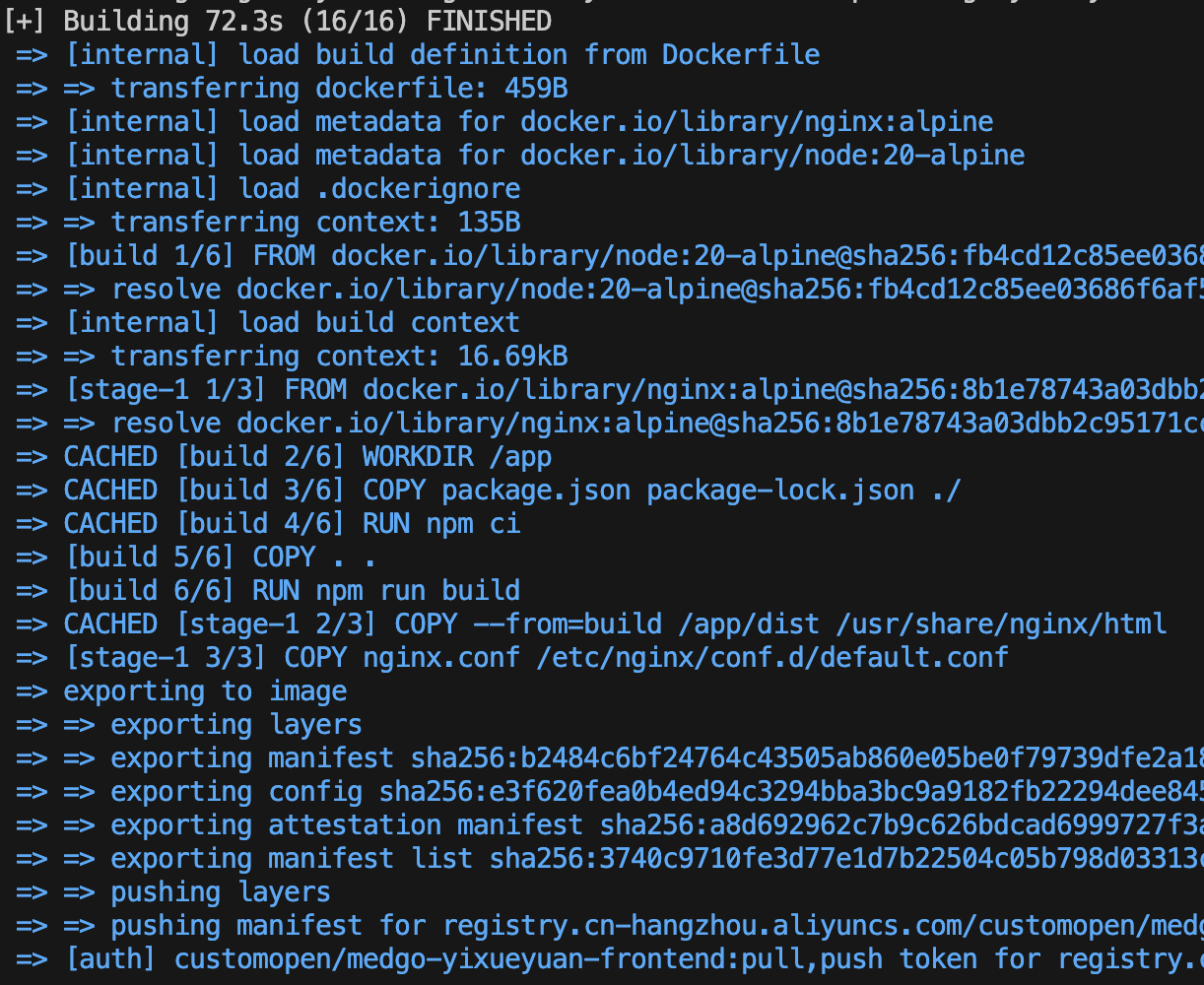
Two decisions worth explaining:
No latest tag. Every push gets only a timestamp tag (20260616-143022). The server's .env sets FRONTEND_TAG and BACKEND_TAG explicitly to the version you want running. This means rollback is: edit .env, docker compose pull <service>, docker compose up -d <service>. No guessing what latest actually is.
--platform linux/amd64 always. The build machine is Intel Mac, so it's a no-op here — but making it explicit means the script works correctly if someone runs it from an Apple Silicon machine later. docker buildx with --push builds in BuildKit and pushes directly to the registry without loading locally, which is faster for images you're not running on the build machine.
docker-compose: The Backend Needs Two Networks
The production server already runs a shared postgres container — other projects use it too. Rather than spin up a second postgres in this compose stack, the backend connects to that existing container.
# docker-compose.yml
services:
  backend:
    image: ${REGISTRY}/${NAMESPACE}/myapp-backend:${BACKEND_TAG}
    environment:
      DATABASE_URL: ${DATABASE_URL}
      SECRET_KEY: ${SECRET_KEY}
      LLM_API_KEY: ${LLM_API_KEY}
      LLM_BASE_URL: ${LLM_BASE_URL:-https://api.openai.com/v1}
      LLM_MODEL: ${LLM_MODEL:-gpt-4}
    networks:
      - default
      - postgres_net
    restart: unless-stopped

  frontend:
    image: ${REGISTRY}/${NAMESPACE}/myapp-frontend:${FRONTEND_TAG}
    ports:
      - "80:80"
    depends_on:
      - backend
    restart: unless-stopped

networks:
  postgres_net:
    external: true
    name: ${POSTGRES_NETWORK}
The backend is on two networks: default (the compose-managed network, shared with the frontend container so nginx can resolve backend:8000) and postgres_net (the external network where the shared postgres container lives). Without default in the list, adding explicit networks: to the backend service would remove it from the compose default network — and the nginx proxy would stop resolving.
To find POSTGRES_NETWORK, run this on the server against the running postgres container:
docker inspect <postgres-container> \
  --format '{{range $k,$v := .NetworkSettings.Networks}}{{$k}}{{"\n"}}{{end}}'
Pick the non-bridge entry. That's POSTGRES_NETWORK. DATABASE_URL points at that container by name: postgresql+asyncpg://myapp:password@<container-name>:5432/myapp.

The One Thing That Bit Us After Deploy
Everything deployed cleanly — migrations ran, uvicorn started, nginx started. And then every single API call returned 404.
The nginx config used a variable in proxy_pass (the standard Docker lazy-DNS trick) but this silently strips the request path and forwards only the literal URI from the directive. Full writeup and fix in How a Variable in nginx.conf Silently Stripped All My API Paths.
Bottom Line
The individual files here are each about ten lines. The non-obvious parts are: baking VITE_DEMO_MODE=false into the build, putting alembic upgrade head in the entrypoint rather than a separate job, skipping latest in favor of explicit timestamp tags, and making the backend join two networks in compose. Claude Code generated all of it and caught the deploy-time nginx bug in the follow-up. The whole setup — from first Dockerfile to working deploy — took one session.